
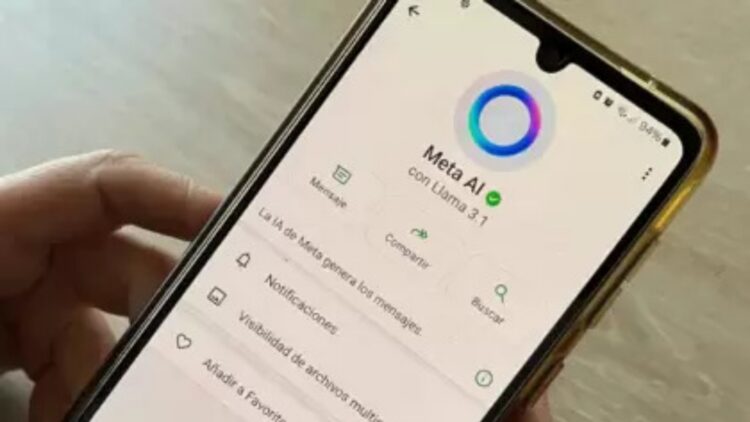
All Whatsapp users have seen the latest novelty offered by the instant messaging application. From Meta Platforms has decided to incorporate the function of artificial intelligence to this mobile application, so that we can resort to it from within the app. This is Meta AI, available at all times for any type of query we have. Although its terms of use include the guarantee of the user’s digital privacy with end-to-end encryption of chats, both in personal chats and those with the AI itself, there are many people who are not happy with the new measure taken by Meta. What about you? Do you use AI in your WhatsApp app?
WhatsApp is one of the most famous and widely used instant messaging applications worldwide. It belongs to Meta and began its journey in February 2009, and has been improving its features over the years. It is an application that only requires an Internet or Wi-Fi connection to work. It allows sending text and voice messages in real time, sending images, videos, files, contacts, and even through which to make video calls.
Meta AI
With the incessant and voracious advance of technology, the arrival of artificial intelligence could not be less. All the big companies in the sector are in the race to get the best AI; the most truthful, the fastest, the most coherent, the most witty, the most everything. The Meta Group did not want to be left behind and has also developed its own language model: Meta AI. The latest novelty has been to introduce it in its social media platforms, such as Instagram, Facebook or WhatsApp. The truth is that it has not been particularly well received by users, although it promises to facilitate the user’s experience in its use and navigation through the applications.
Is it possible to disable Meta AI?
It is. There are several reasons why most WhatsApp users want to get rid of the presence of Meta AI. For one, many are concerned about their privacy. Although Meta guarantees that chats are end-to-end encrypted and not leaked to third parties, users don’t trust it. Others see it as totally unnecessary and prefer the app to stick to the functions it has had so far, and the more demanding ones believe that Meta AI’s answers are not quite right. Whatever the reason, there are many users who want to get rid of that blue circle that occupies a large part of the screen and which they do not want to use.
Minimizing Meta AI, step-by-step
There are regions in Europe that do allow the complete elimination of the presence of Meta AI. However, in countries like Argentina it is not yet possible. But, do not panic! You can reduce its presence in the app as follows.
- Open the chat with Meta AI.
- Click on the icon in the upper right corner of the screen with 3 dots.
- Select “Delete conversation”.
In this way you will stop receiving automatic messages from Meta AI, and you will always be able to recover the conversation by searching for your contact as if it were any other person.
How reliable is Meta AI?
Faced with growing concerns about the security and privacy of users with the presence of Meta AI, some even asked the artificial intelligence how far its work went. The AI replied “This chat is secure. As a Meta AI language model, I am designed to protect the privacy and security of users”. It did not stop there, but detailed all the aspects that, according to Meta, guarantee the security and privacy of users’ data and the content of their conversations.
- Privacy.
- No storage.
- Reads other chats.
- No eavesdropping.
- Advanced encryption system.
Both the company and its own AI, Meta AI, state that the purpose of the presence of artificial intelligence is “to provide information and assistance in a secure manner that respects your privacy”. What do you think a about this statement? Do you trust the presence of an AI in your WhatsApp?